
About Us
SPUC is the world’s first and UK’s largest pro-life campaigning and educational organisation
At SPUC, we believe in the right to life from conception to natural death. For over 55 years, we’ve partnered with UK communities to promote a culture of life.
Through compassionate support, education, and advocacy, we protect the most vulnerable – unborn babies, the elderly, and those facing end-of-life decisions. We work with schools, universities, and policymakers to ensure every life is valued and respected.

Our History
1967
SPUC Founded
On January 11th 1967, the Society for the Protection of Unborn Children (SPUC) was founded in response to the presentation of the Abortion Act, which was introduced as a Private Member’s Bill by David Steel MP, and given royal assent on 27th October 1967.
Recognising the need to form an organisation dedicated to opposing legal abortion, two ordinary members of the public, Alan Smith and Elspeth Rhys-Williams, alongside other founder members, set about creating a campaigning and educational organisation that would unite pro-lifers across the UK against abortion.
1982
Mother Teresa Attends SPUC Rallies in Hyde Park and Glasgow
In 1982, Mother Teresa delivered a memorable address to SPUC supporters in London and Glasgow at the “Call to Humanity” rallies. Her powerful message of Christ’s love and compassion for the unborn resonated deeply, inspiring the pro-life movement in the UK.
This event marked a pivotal moment in SPUC’s history, reinforcing its mission to defend life and support vulnerable mothers, a legacy that continues today through the work of SPUC.
1990
Professor Jérôme Lejeune becomes the president of SPUC
In 1990, Professor Jérôme Lejeune, renowned for his discovery of the genetic cause of Down syndrome, became President of SPUC. As a leading geneticist and passionate advocate for life, Lejeune dedicated his career to researching Down syndrome and opposing the termination of unborn children diagnosed with the condition.
In the same year, SPUC’s Educational Research Trust established the Anna Fund to support his groundbreaking work, continuing his legacy of seeking medical treatments for Down syndrome rather than promoting abortion.
2011
SPUC Blocks BPAS Court Case
In February, 2011, the high court rejected a demand by the British Pregnancy Advisory Service (BPAS) in a case which has been described as “the bedroom abortion case”.
BPAS went to court to seek a formal declaration that it was lawful to give a woman drugs to take away to administer to herself in the second stage of an RU486 abortion. SPUC intervened in the case and arguments submitted by SPUC played a prominent part in Mr Justice Supperstone’s judgment in which he firmly rejected BPAS’s application.
2024
Largest Pro-Life Organisation in the UK
In 2024, SPUC solidifies its place as the UK’s largest and leading pro-life organisation. Since 1967, SPUC has been at the forefront of the global pro-life movement, advocating for the right to life from conception to natural death.
As a global leader, SPUC continues to shape policy, provide education, and support women and families, influencing pro-life legislation in the UK. Through tireless campaigning and outreach, SPUC remains dedicated to defending the most vulnerable and advancing a culture of life on both national and international stages
Meet the Executive Team
Our Impact
Since 1967, SPUC has been leading the fight in courts, classrooms and culture against abortion and euthanasia.
In Courts
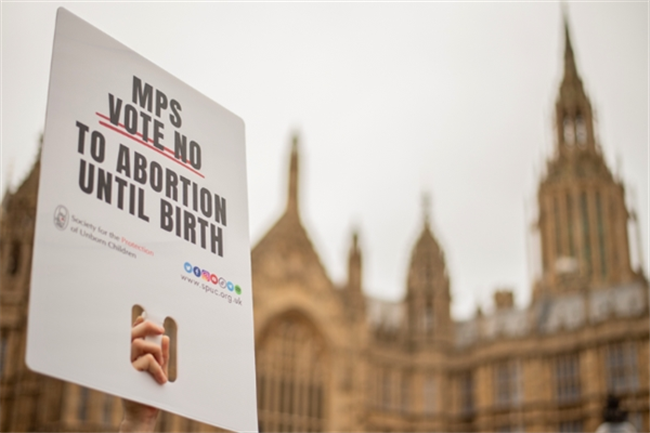
SPUC has been a steadfast advocate for life, leading significant legal challenges against abortion and euthanasia laws.
Notable victories include defeating attempts to expand abortion rights under the Human Fertilisation and Embryology Act and rallying significant public support against Assisted Suicide legislation, culminating in a stunning parliamentary defeat for the bill.
In Classrooms
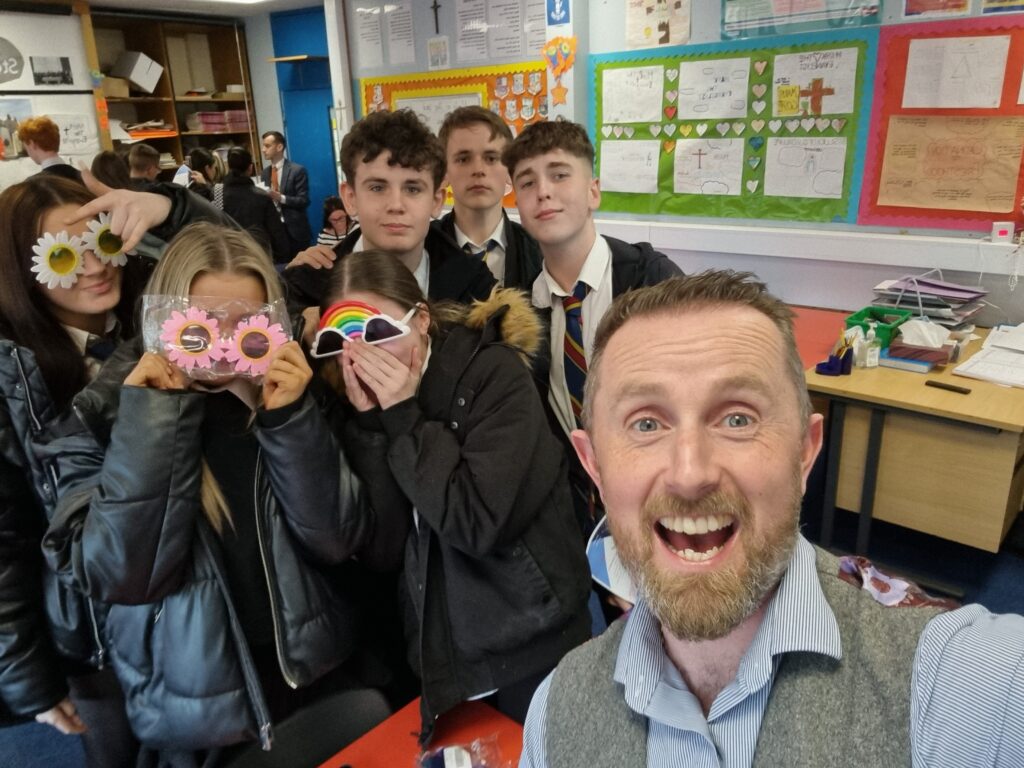
SPUC reaches over 22k children between 2022-2024, visiting hundreds of primary and secondary schools across the UK
Through our workshops and presentations, we have provided thousands of hours of impactful and free education to students across the UK, encouraging informed discussions about life issues and challenging prevailing narratives surrounding abortion.
In Culture
SPUC Breaks Into the Film Industry with Award-Winning Debut Film
In 2024, SPUC proudly supported “An Irish Angel”, a compelling debut film that captures the challenges faced by women in crisis pregnancies. Celebrated at multiple film festivals, this award-winning feature sheds light on life issues often overlooked in cinema, amplifying the pro-life message through its authentic storytelling and relatable characters.


In Communities
SPUC’s Volunteer Branches Exceed 60: Local Heroes in the Fight for Life, Covering 100 Towns and Cities Across the UK
With over 60 volunteer-led branches across 100 UK towns and cities, SPUC unites individuals dedicated to the cause of life. These branches lead fundraising events and outreach initiatives, raising awareness about key life issues. From door-to-door campaigns to community gatherings, our volunteers are making a significant impact.